THE PROBLEM / GOAL
The Problem
The business was relying on improvised and limited tools to track vehicles and manage communication across teams. Initially, the process worked like a forum
thread, where images and comments were posted to update others on a car’s status. Later, the team migrated to Monday.com, which provided basic table-based
tracking but lacked the flexibility and customization required for their workflow. These solutions made it difficult to ensure accurate tracking, structured
communication, and proper accountability.
The Goal
The objective was to design a fully customized system that could:
- Track repair times, parts purchases, vehicle status, and current location.
- Provide permission-based sections and actions, ensuring that only managers and area leads could approve purchases, supervise repairs, and move vehicles between
workflow stages.
- Allow each worker to see only the information relevant to their role, reducing distractions and keeping focus on their responsibilities.
- Establish transparency and control across the entire process, from acquisition to ready for sale.
RESEARCH
To clearly understand the needs of the system, we engaged directly with stakeholders and managers. The existing documentation was not enough to explain the
full complexity of the process, so multiple calls were scheduled with area leads to clarify the workflow and uncover pain points with the previous tools.
Since there were no direct competitor references, this was an internal system, we relied entirely on these stakeholder sessions to define requirements and
priorities.
In terms of visual design, the stakeholders requested that the platform follow Tricolor’s existing design language. We built on the current design system, while
introducing new components as needed to support the platform’s functionality.
USER PERSONA
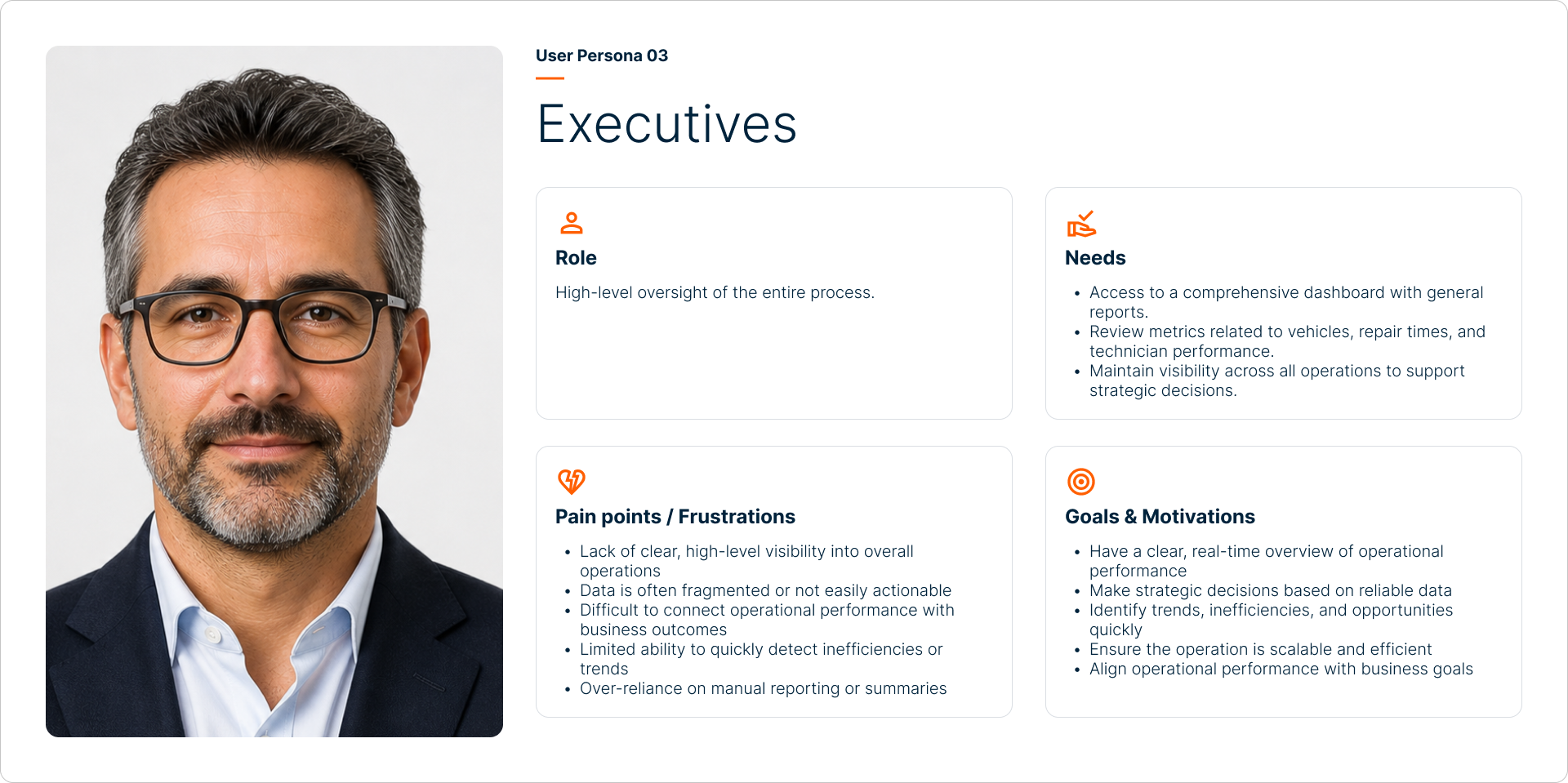
To ensure the platform met the needs of all its users, three primary personas were identified.
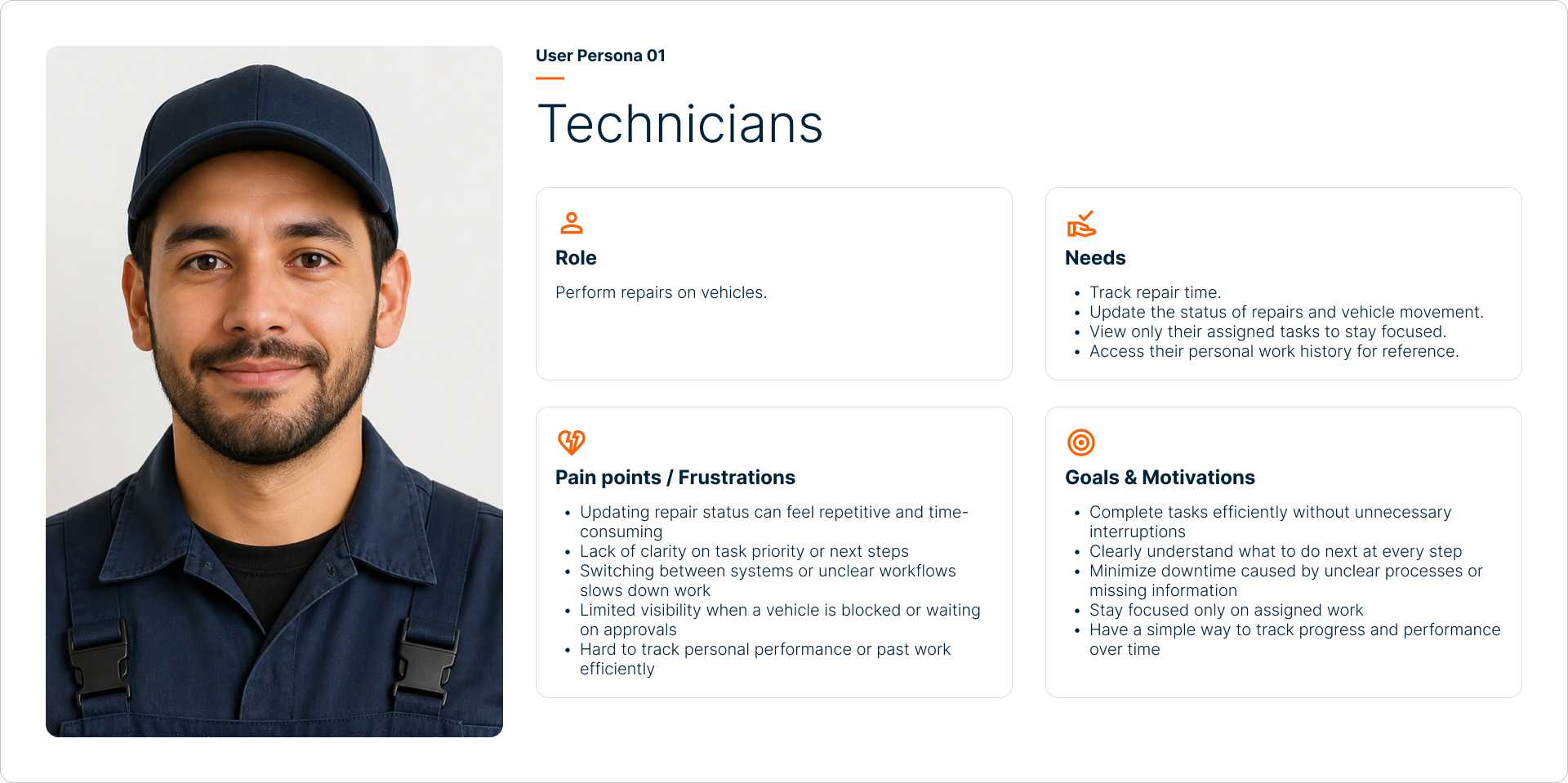
- Technicians — Perform repairs on vehicles.
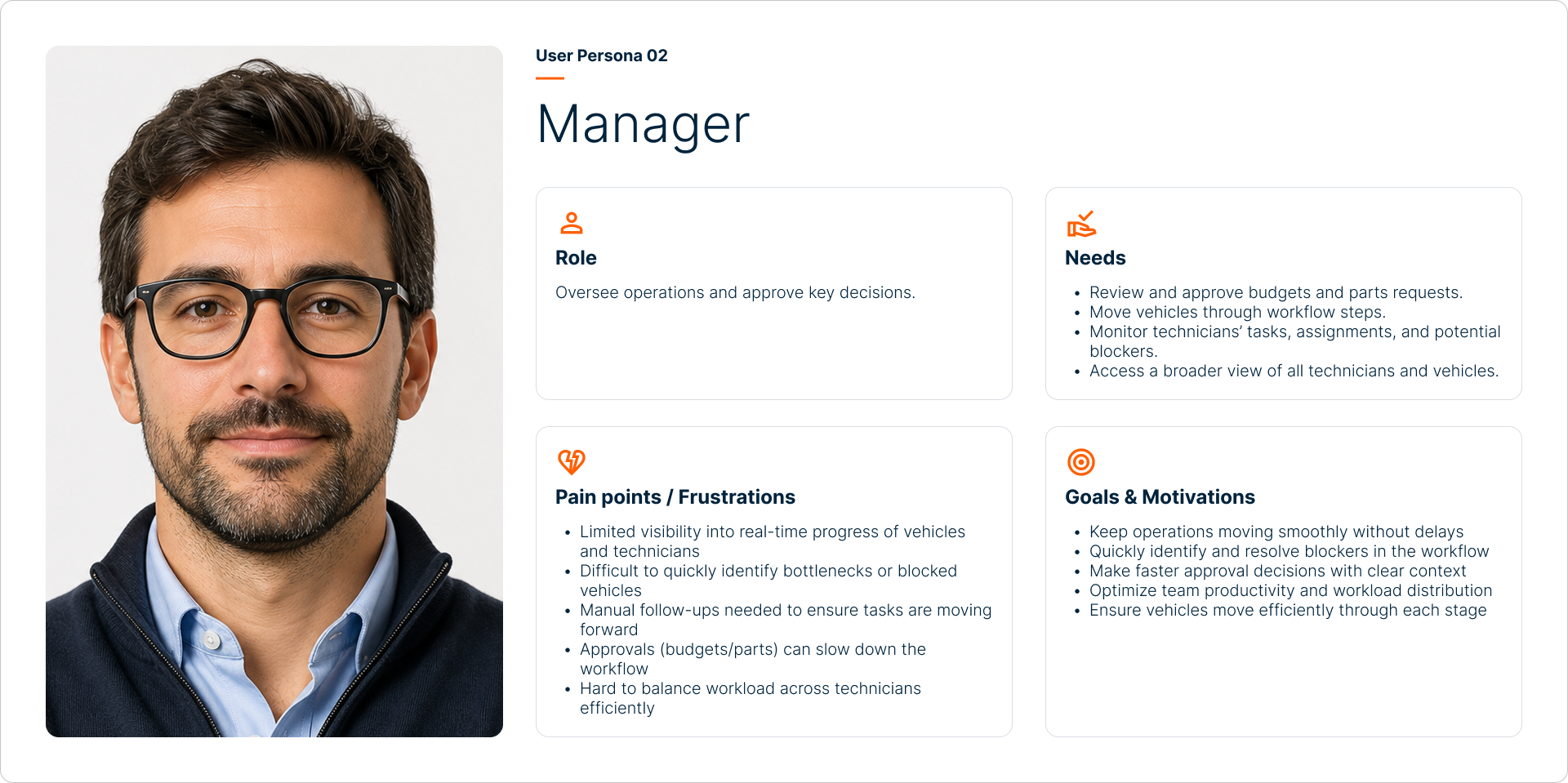
- Managers — Oversee operations and approve key decisions.
- Executives — High-level oversight of the entire process.
FLOW TO RESOLUTION
After defining the overall workflow, user permissions, and focus areas for each persona, the next step was to
design the top-level system architecture. The approach was to build a complete system and then tailor visibility and actions based on each user’s role.
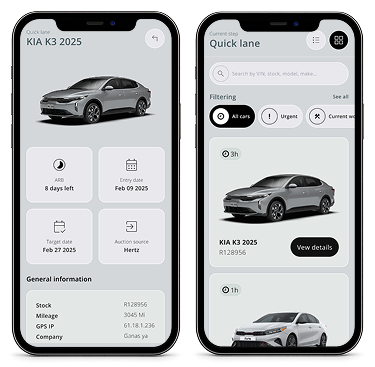
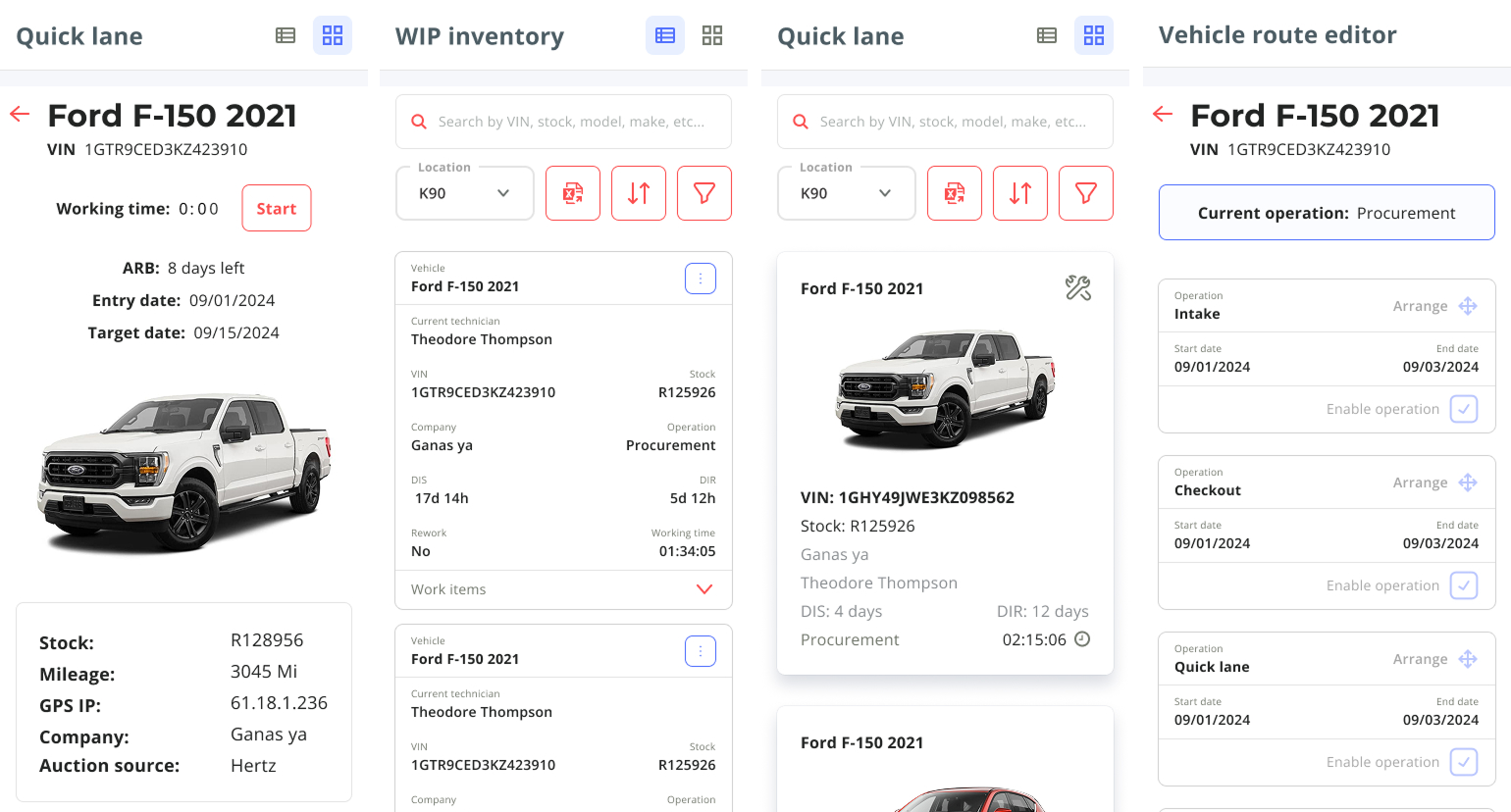
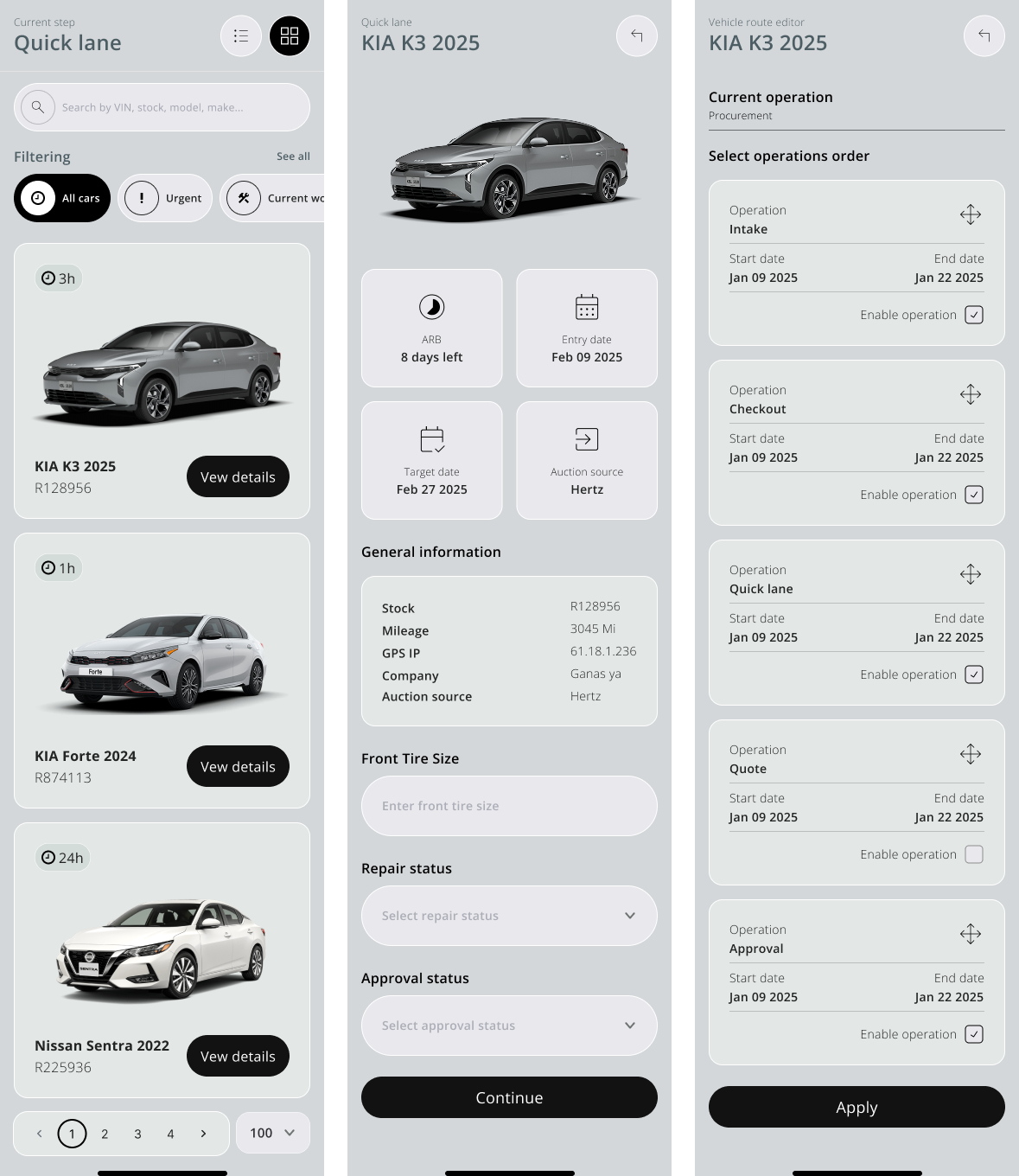
- Main Screen: A primary screen was created to display the list of vehicles, with an overview of key information. Selecting a vehicle opens a detailed view with all relevant options and data.
- Dual Views for Vehicle List:
To support different user needs, the vehicle list offers two views:
- Table View Allows managers to see a larger number of vehicles at once, with detailed information for tracking.
- Visual View Designed mainly for technicians, this view makes it easier to identify vehicles quickly using photos and graphic data.
A switch was added so users can toggle between views depending on preference or task.
- Flow Editor: Managers were given access to a flow editor, enabling them to adjust the sequence of steps a vehicle follows, or skip steps when necessary. Certain controls, such as moving cars between stages or approving purchases, are only visible to managers—hidden for technicians.
- Parts Database: A pre-filled database of parts was created, including part name, price, vendor, and average repair time. This allowed quick budget estimations and streamlined ordering. The database was designed to be continuously updated with each new request.
- Phase 2 — Executive Dashboard: While the initial focus was on technicians and managers, a high-level executive dashboard was planned for a second phase. This would provide strategic insights and metrics for directors once the operational needs were fully met.
Throughout the process, features and flows were refined through regular stakeholder calls and feedback sessions, ensuring the system evolved in line with
real operational needs.
WIREFRAMING
Given the tight project timeline and the availability of an old existing design system, it was decided to skip traditional low-fidelity wireframes. Screens were
quickly assembled using pre-built components from the system.
- Build functional layouts at speed.
- Gather stakeholder feedback early in the process.
- Iterate efficiently once the structure was approved.
- Expand the design system with new components when necessary.
By leveraging the design system, the design cycle was accelerated while maintaining visual consistency and focusing efforts on elements that required
customization.
FINAL DESIGN
The final design brought together all the requirements identified during research and feedback sessions. The system provides a clear and structured way to
track vehicles from arrival to inventory, while adapting the experience to each user persona through permission-based views and actions.
- Vehicle List: Two interchangeable views (table/visual) to match task needs.
- Detail Screen: Full-page status, repair details, and available actions per vehicle.
- Flow Editor: Managers edit workflow steps, approve purchases, and move vehicles.
- Parts Database: Preloaded parts with vendor, price, and average repair times.
- History Page: Records who did what, when, and how long it took (blockers, repeated steps, reassignments). Visible only to managers and executives.
- Role-Specific Visibility: Technicians see assigned tasks and personal history; managers/executives have broader overviews.
The outcome is a platform that simplifies daily operations, improves communication, and ensures accountability across every stage of the process, laying a
foundation for scalability with future features like the executive dashboard.
PROTOTYPE
A high-fidelity prototype was developed in the early stages of the project to simulate the step-by-step flow of the tracking tool. While not a final solution, it served as
a near-real representation of the experience, allowing us to validate key interactions before moving into final design.
The prototype highlights critical moments in the process, such as switching between table and vehicle list views, as well as surfacing important informational messages
and business rules. It was used to facilitate stakeholder discussions, gather feedback, and identify potential usability improvements early on.
IMPACT
The implementation of the Tracking Tool was expected to deliver significant improvements in efficiency, visibility, and accountability across the vehicle check-in process.
- Efficiency & Focus: Reduced delays and distractions by giving each role only the tools and data they need.
- Transparency: Clear record of tasks, time, and blockers through the history page.
- Focus & Productivity: Technicians see only assigned tasks and their history.
- Decision-Making Support: Parts data and time estimates speed up budgeting and scheduling.
- Scalability:A solid foundation for future features like executive dashboards and advanced reporting.
LEARNING
Working on this project highlighted the importance of understanding complex workflows directly with stakeholders, rather than relying only on documentation.
Continuous feedback sessions were crucial to refine details and make sure the solution truly fit daily operations.
It also reinforced the value of starting from an existing design system to move faster under tight deadlines, while still expanding it with new components when needed.
Finally, the process showed how essential it is to design with role-based perspectives in mind, ensuring that each type of user—technicians, managers, and
executives—gets exactly what they need without unnecessary distractions.